Precise Chair Exercise
Tutorial
Using the chair from the simple chair exercise, we can snap parts of our model together.
Our goal is to change our pivot point in such a way that we can align the corner of our chair leg with the corner of our chair base. 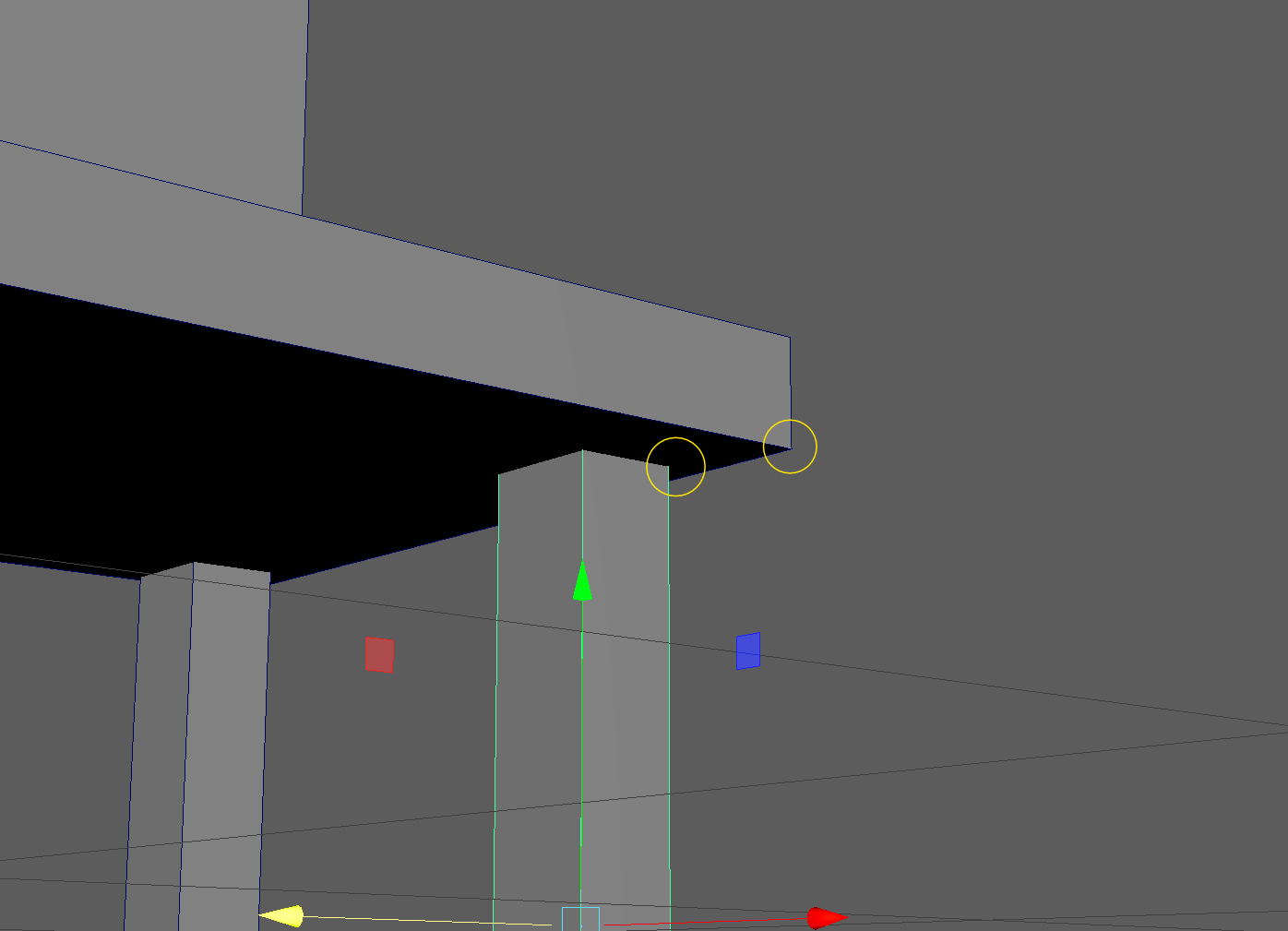
- Let's move our chair leg down to make some more space.
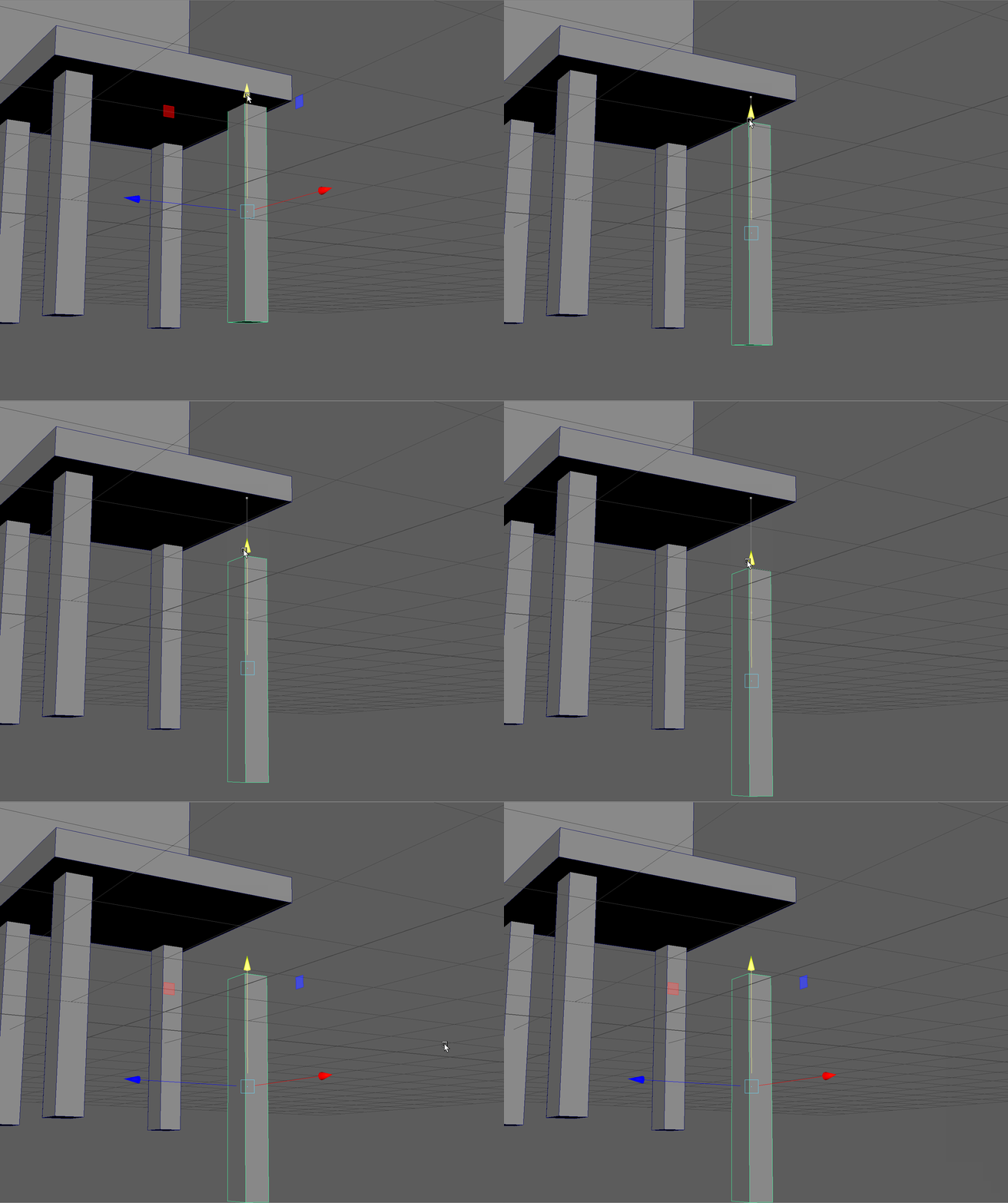
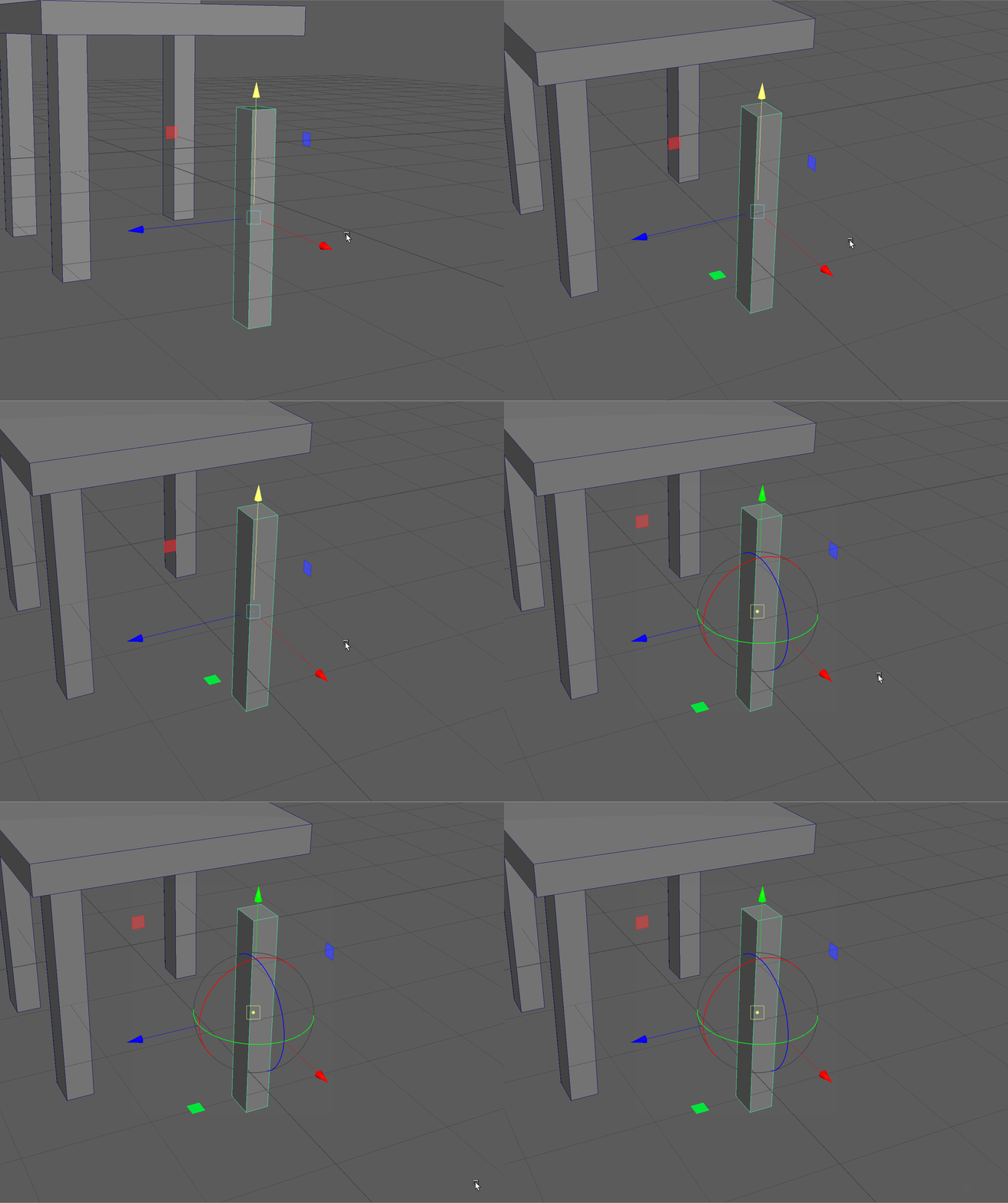
- Press the D Key on your keyboard to bring up our pivot controls.
- To snap our pivot to the corner of our leg we can hold down on the V Key on our keyboard (short for vertex, which will get to next class). And click and drag on the yellow center of our pivot to move it to the proper corner.
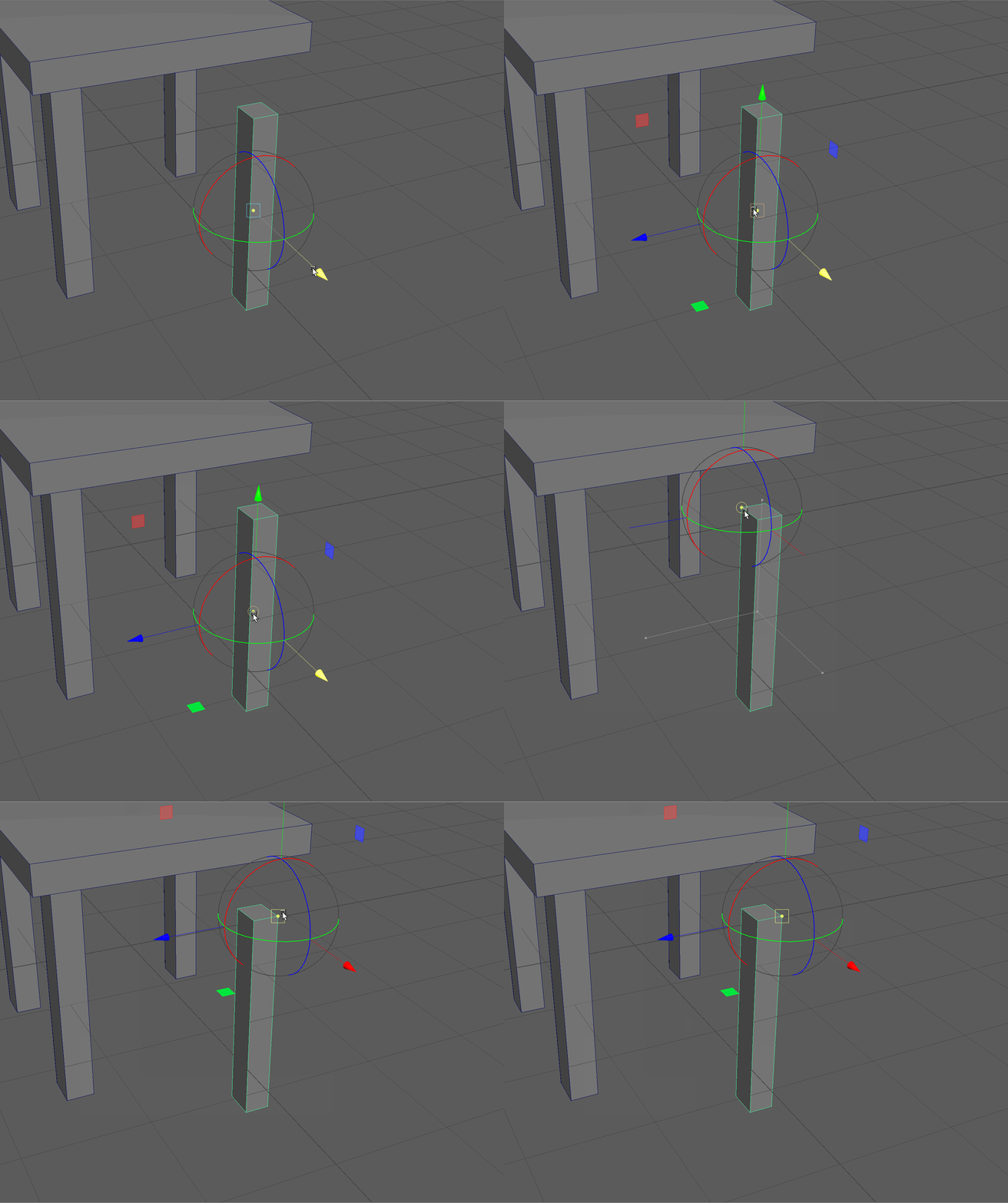
- We can turn off the pivot tool using the D Key, make sure our Move tool is on and press and hold the V Key again to snap our object to the bottom corner of our base by clicking and dragging on the center of our Move gizmo.
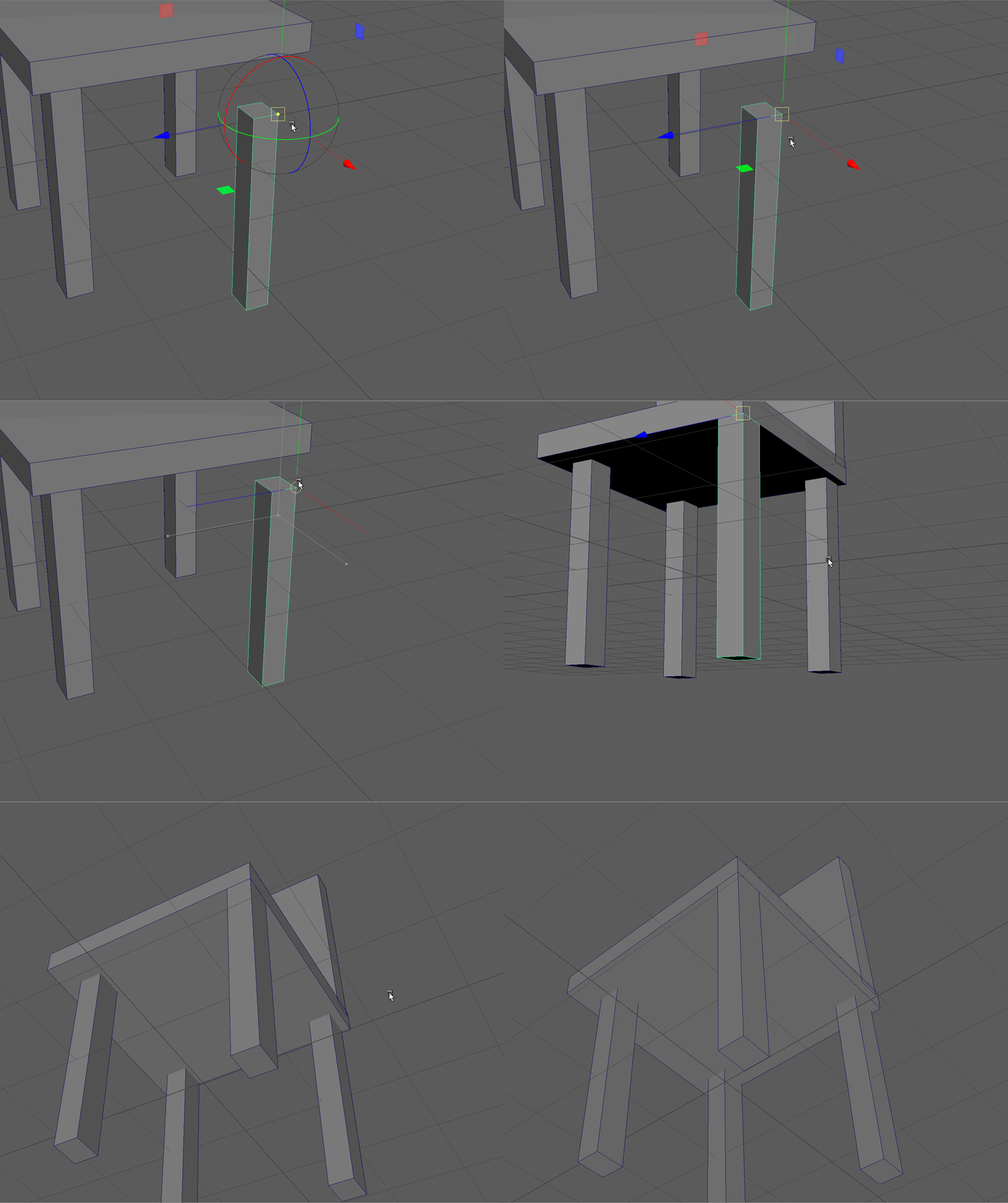
- Let's repeat these steps with the other parts of our chair.
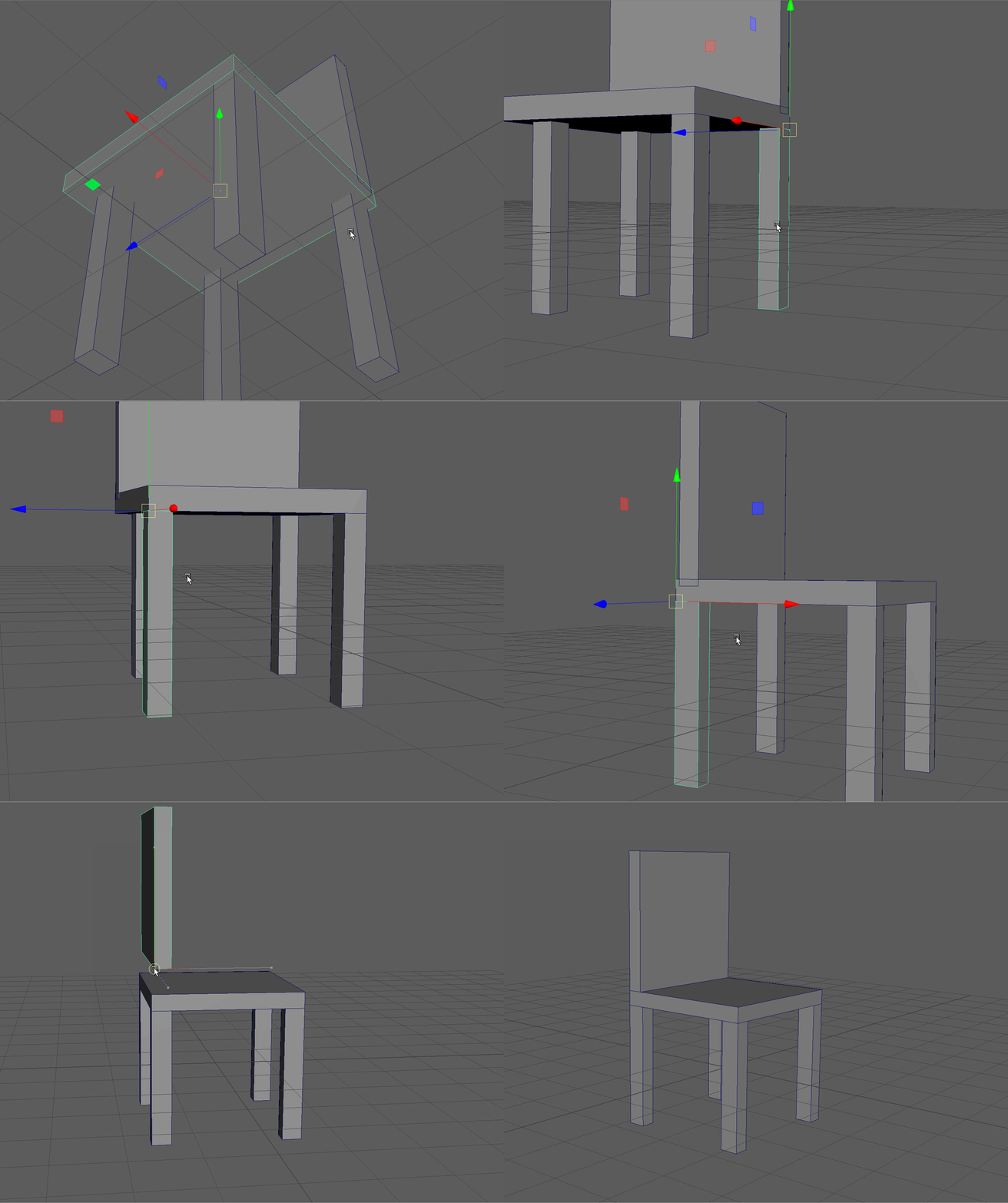
- See if you can snap the back of the chair in place!