Getting a Handle on Object Modeling
Part 1: Handle
Use what you learned through the teapot tutorial to model the handle for the teapot.
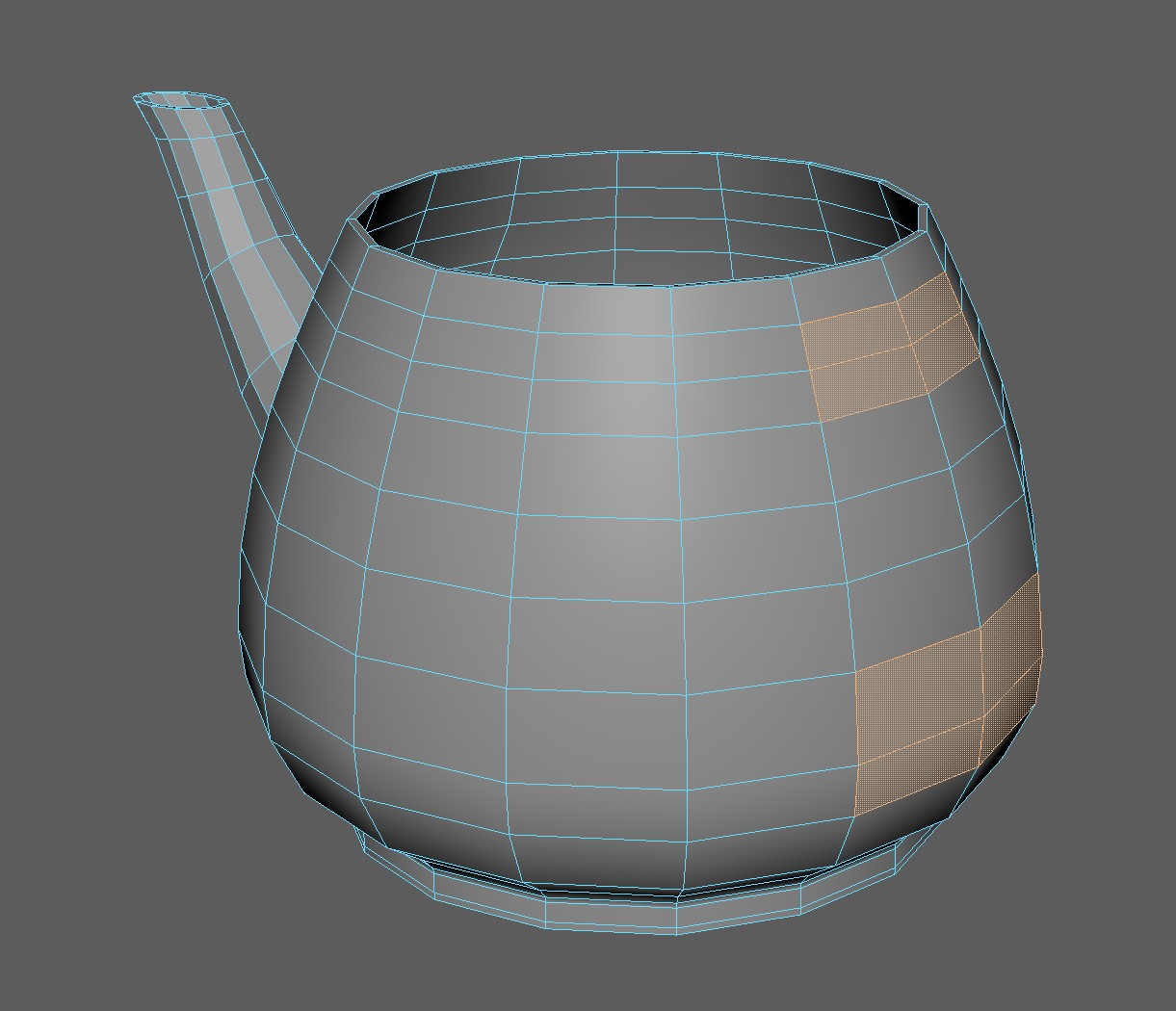
As a starting point, the handle should attach using the below faces. Count how many edges are on the border of the selected faces.
As an extra challenge, try starting with only a plane!
Part 2: Object
Check out this video by Flipped Normals (a great modeling resource):
Use subdivision modeling techniques to make a simple object. Use what we learned in the teapot example for reference. Perhaps you model a cup, or a bottle, a shovel? Keep it simple, but feel free to challenge yourself.
A good place to start for inspiration is Sketchfab.com. You can use the model inspector to examine the wireframe of models. Use this to examine each artist's approach to topology.
We'll be learning about importing images in our next class session. For this assignment, don't attempt to copy an object exactly, instead, play around and experiment with the different effects of smoothing to create your object.
Submit
To Discord:
- An image of your completed teapot handle:
- Two images of your modeled object:
- One image should have no wireframe.
- The other image should display your object in shaded wireframe mode.
- Your completed exercise should be accessible in your server folder.