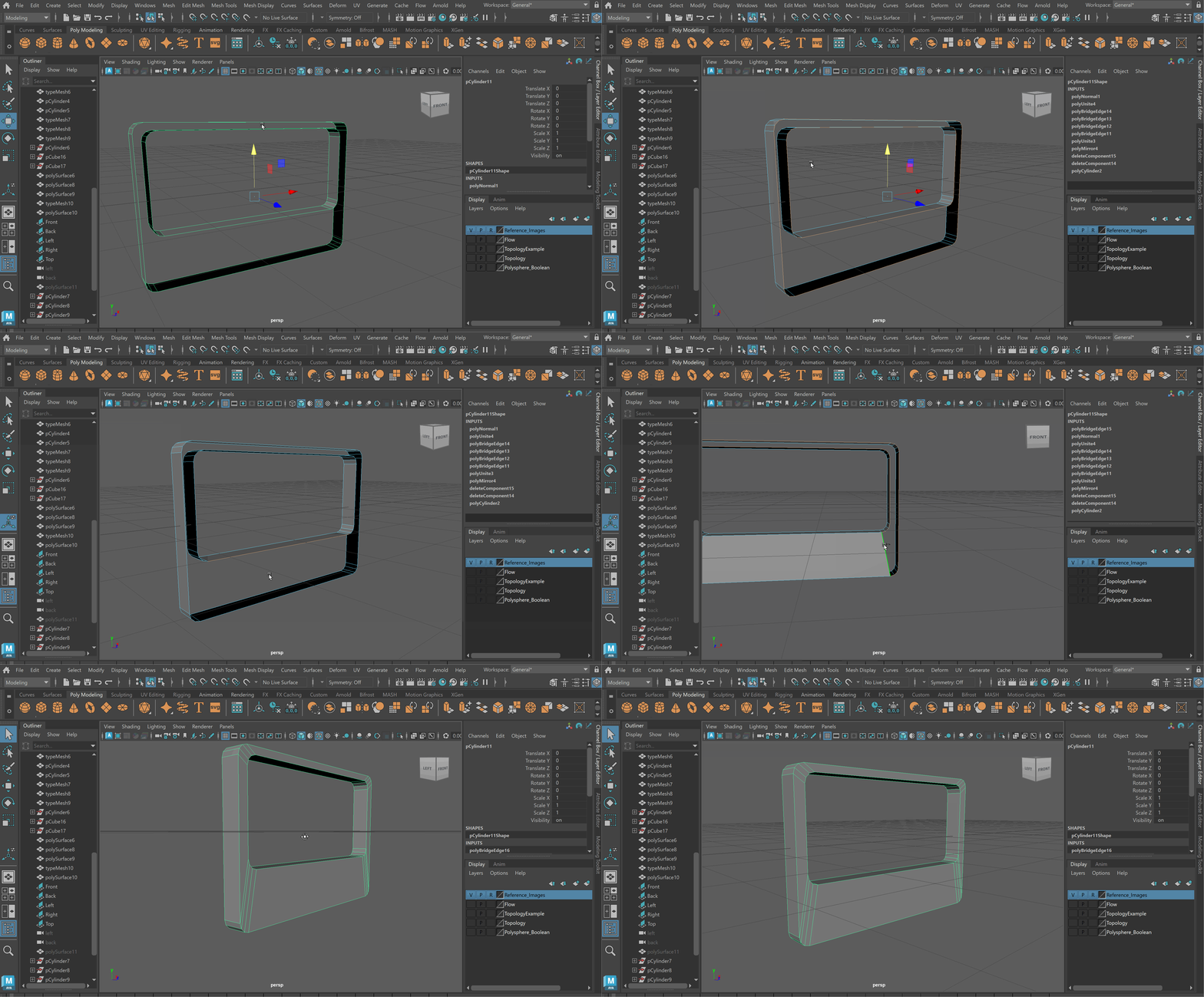
4b. Polaroid Cylinder
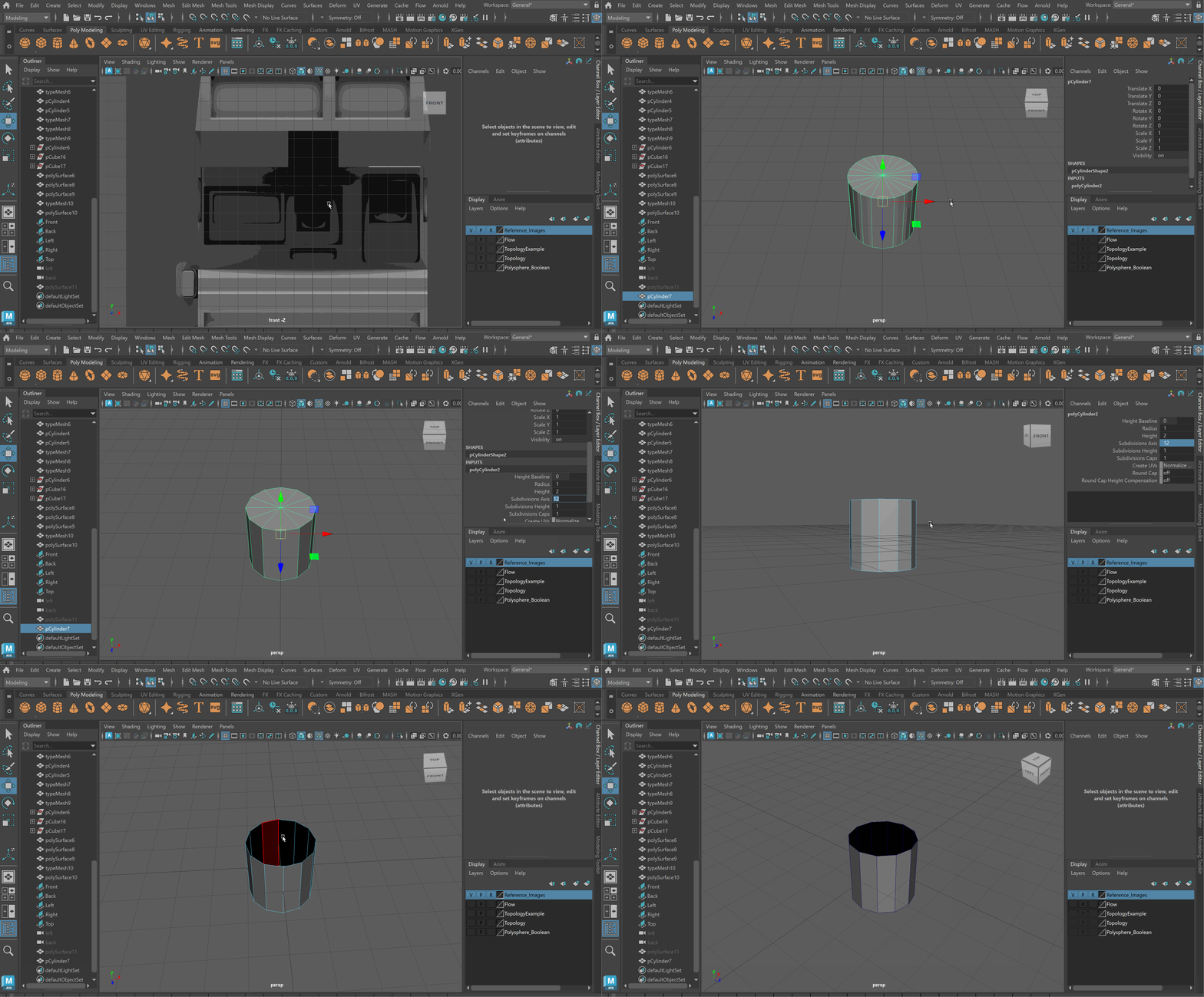
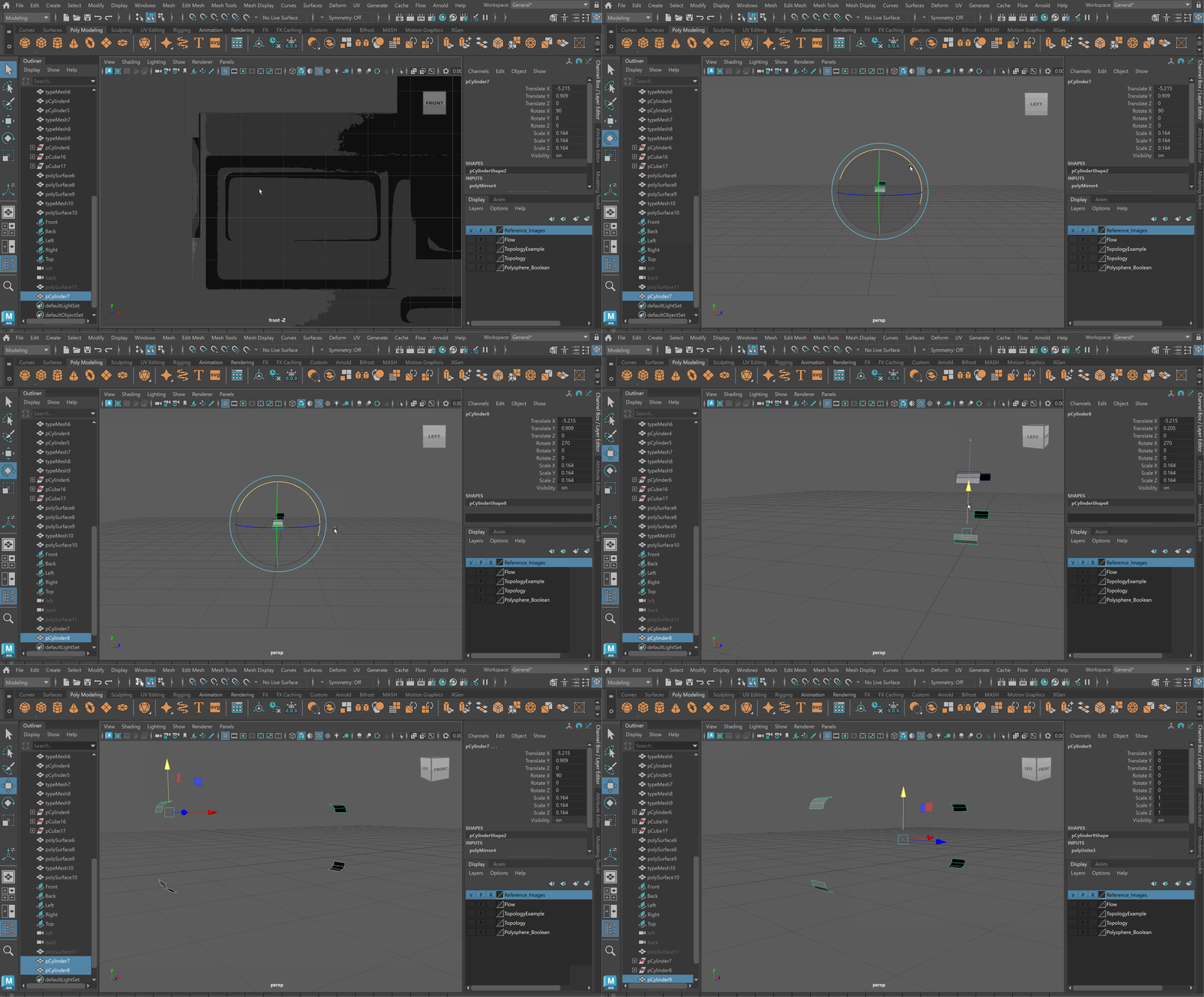
- Create a cylinder with 12 side > Remove top and bottom
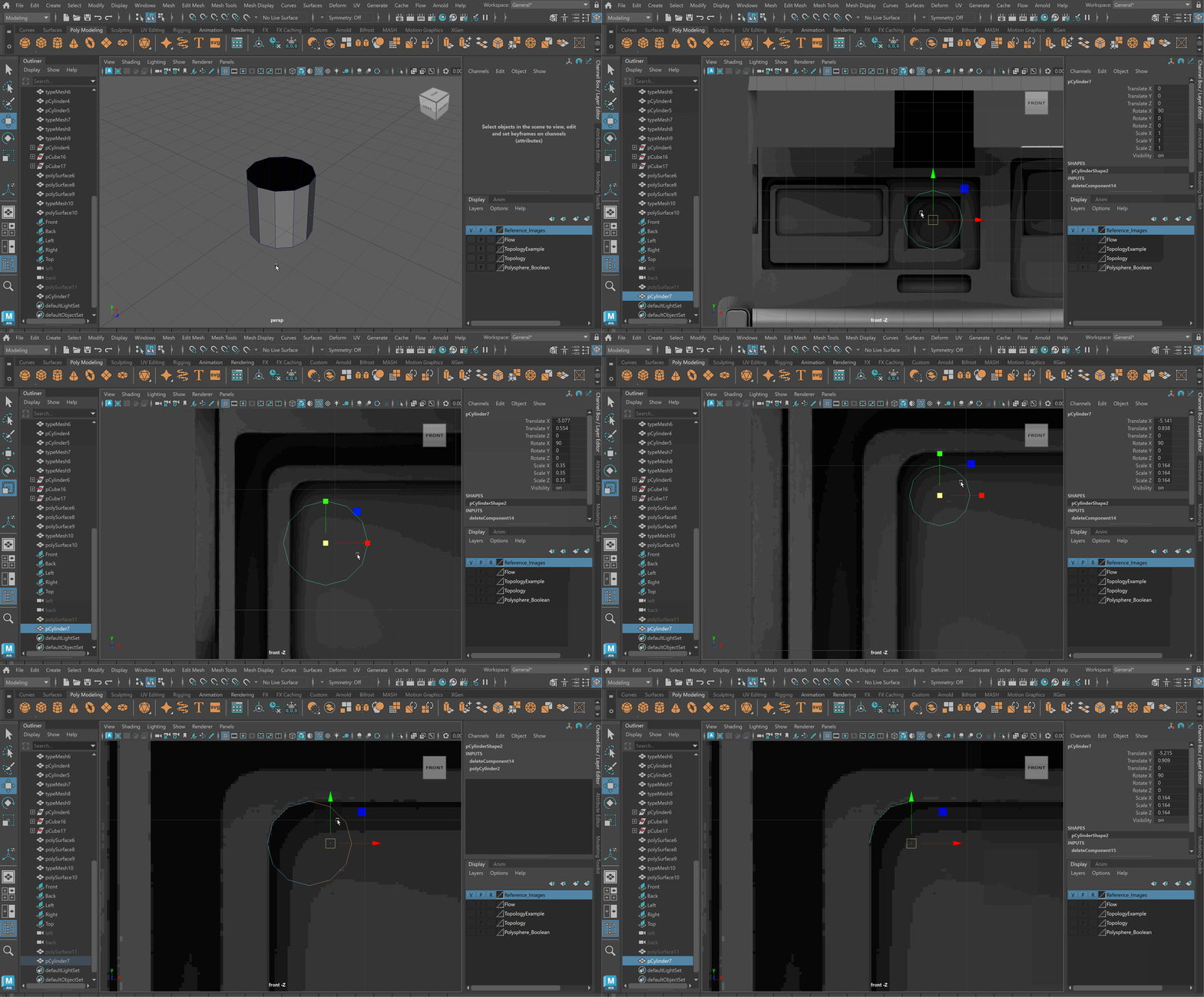
- Rotate cylinder to match inner corner > Delete sides except 3 in corner
- Use Mirror tool to create another corner > move over in face mode
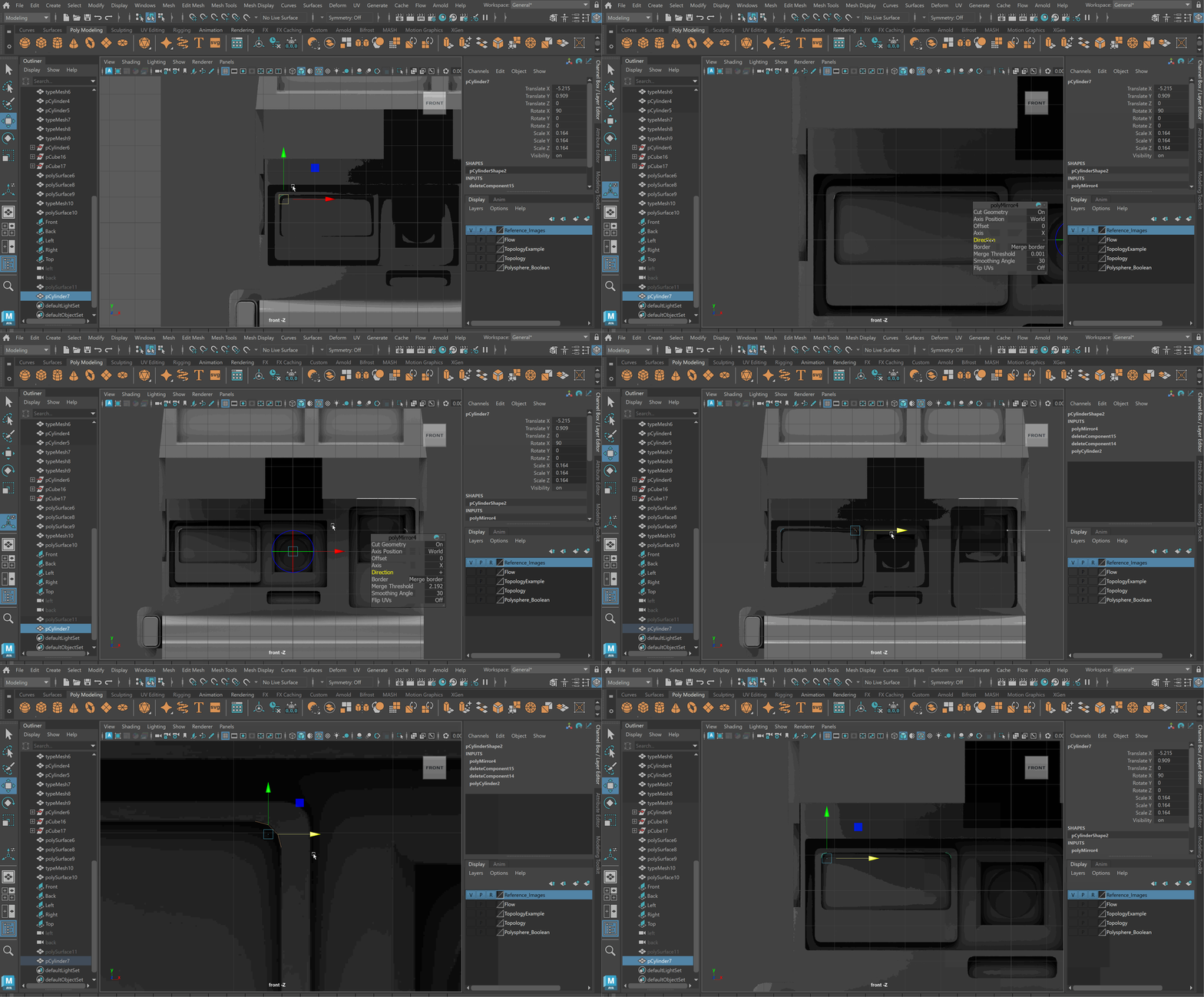
- Duplicate and rotate corner 90 degrees > Combine
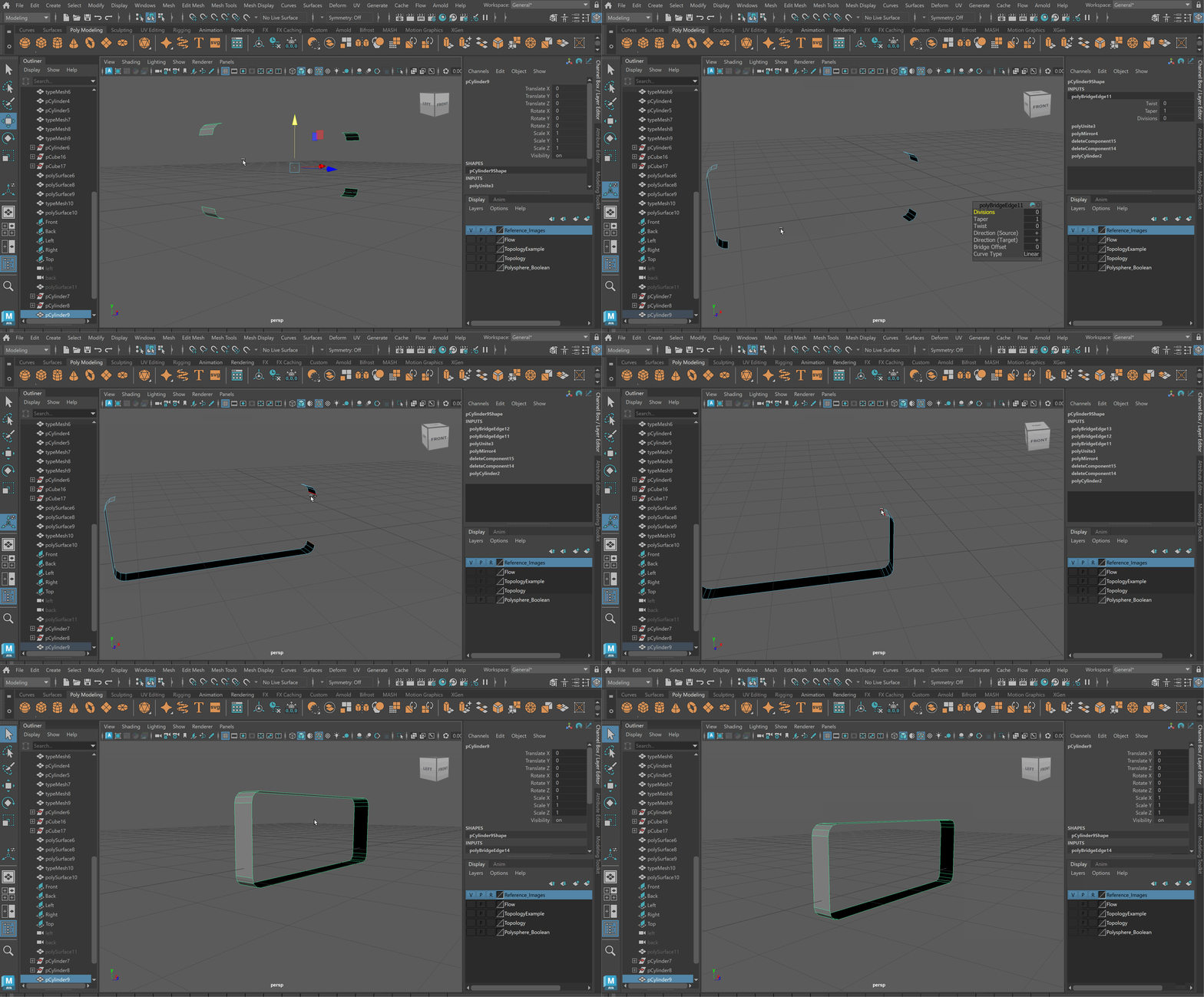
- Bridge faces together (Use G Hotkey to repeat last action)
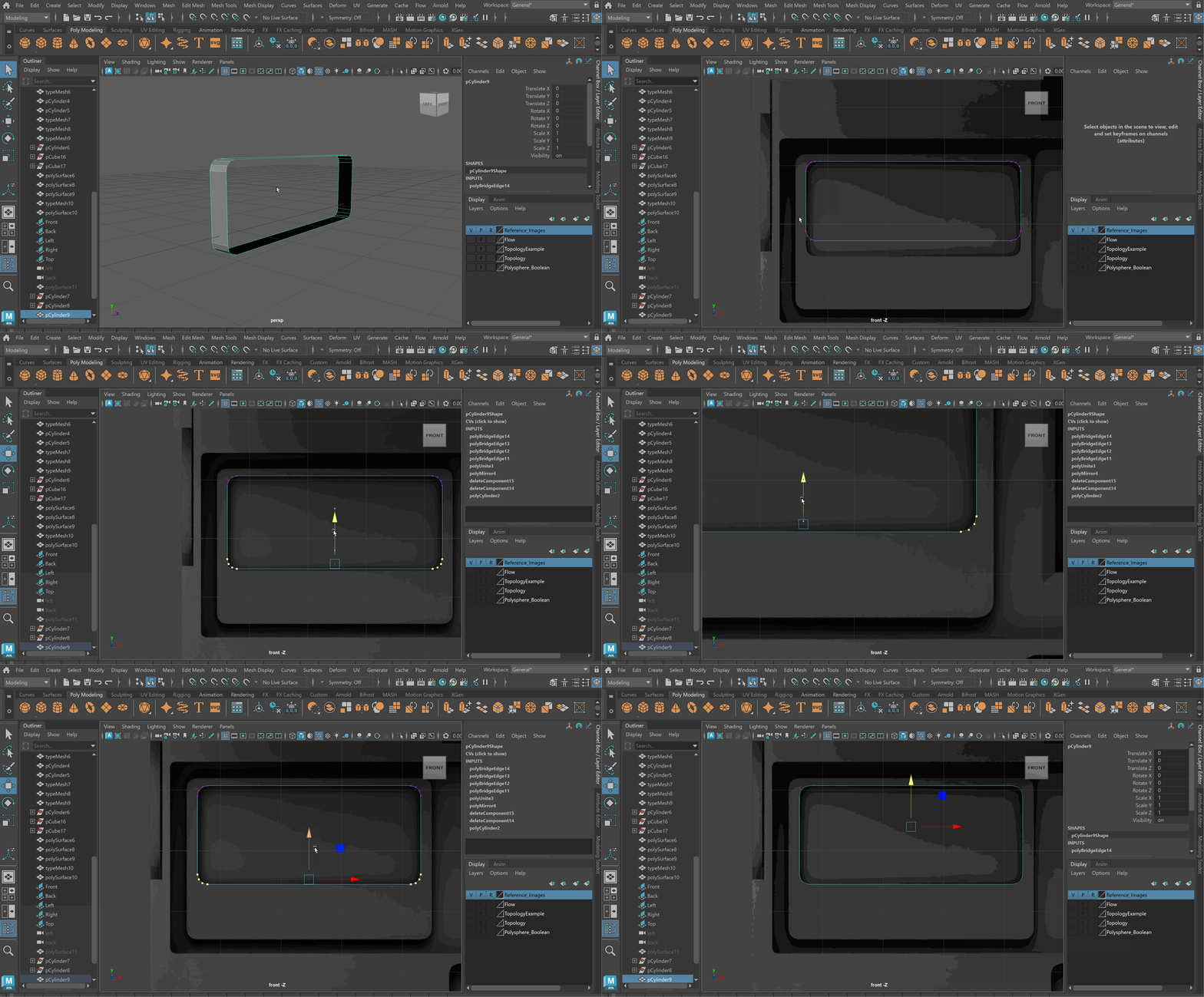
- Move Corners to correct positions in vertex mode
- Duplicate object and move corners to match larger shape
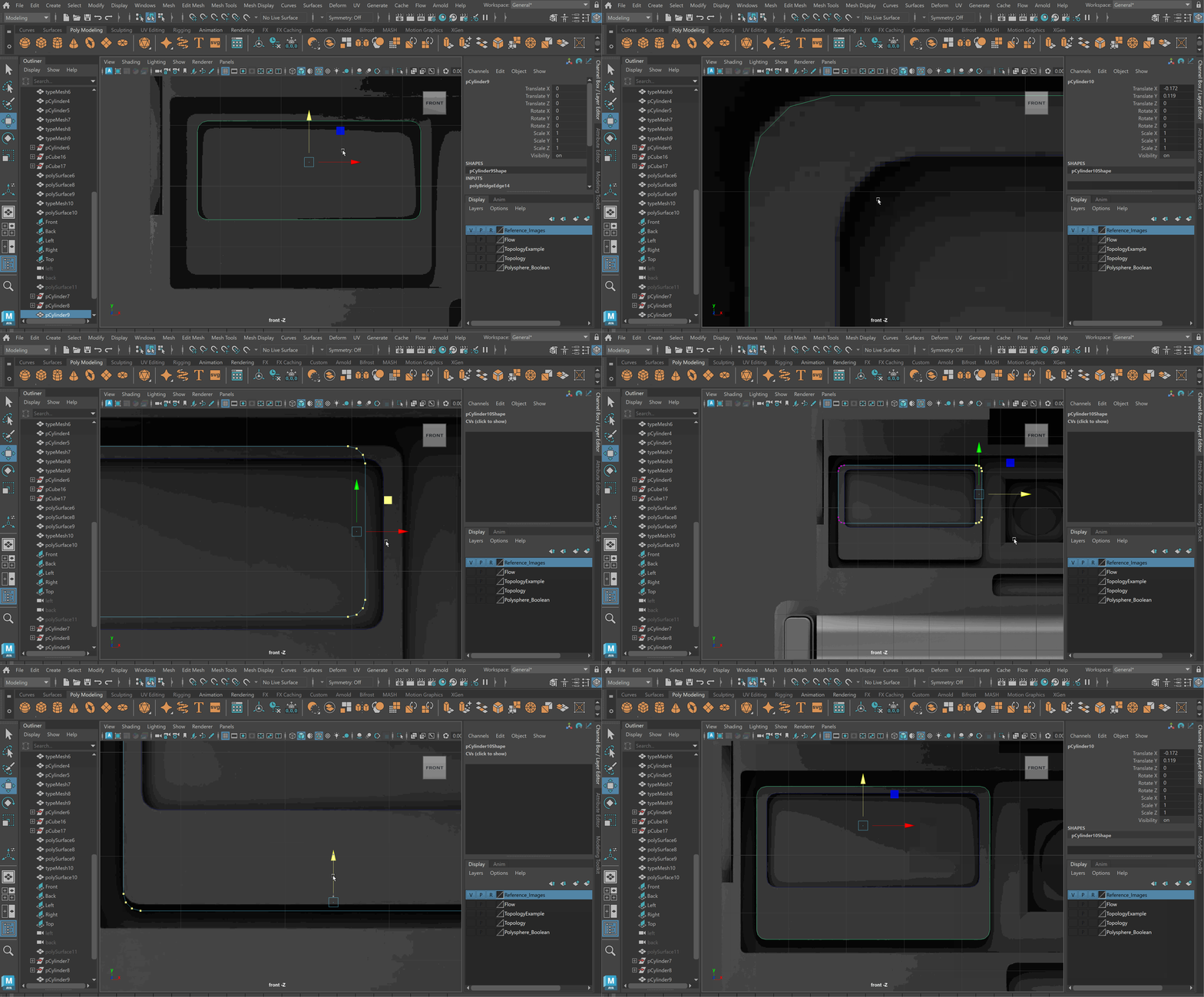
- Combine > Reverse the normals on the inner shape
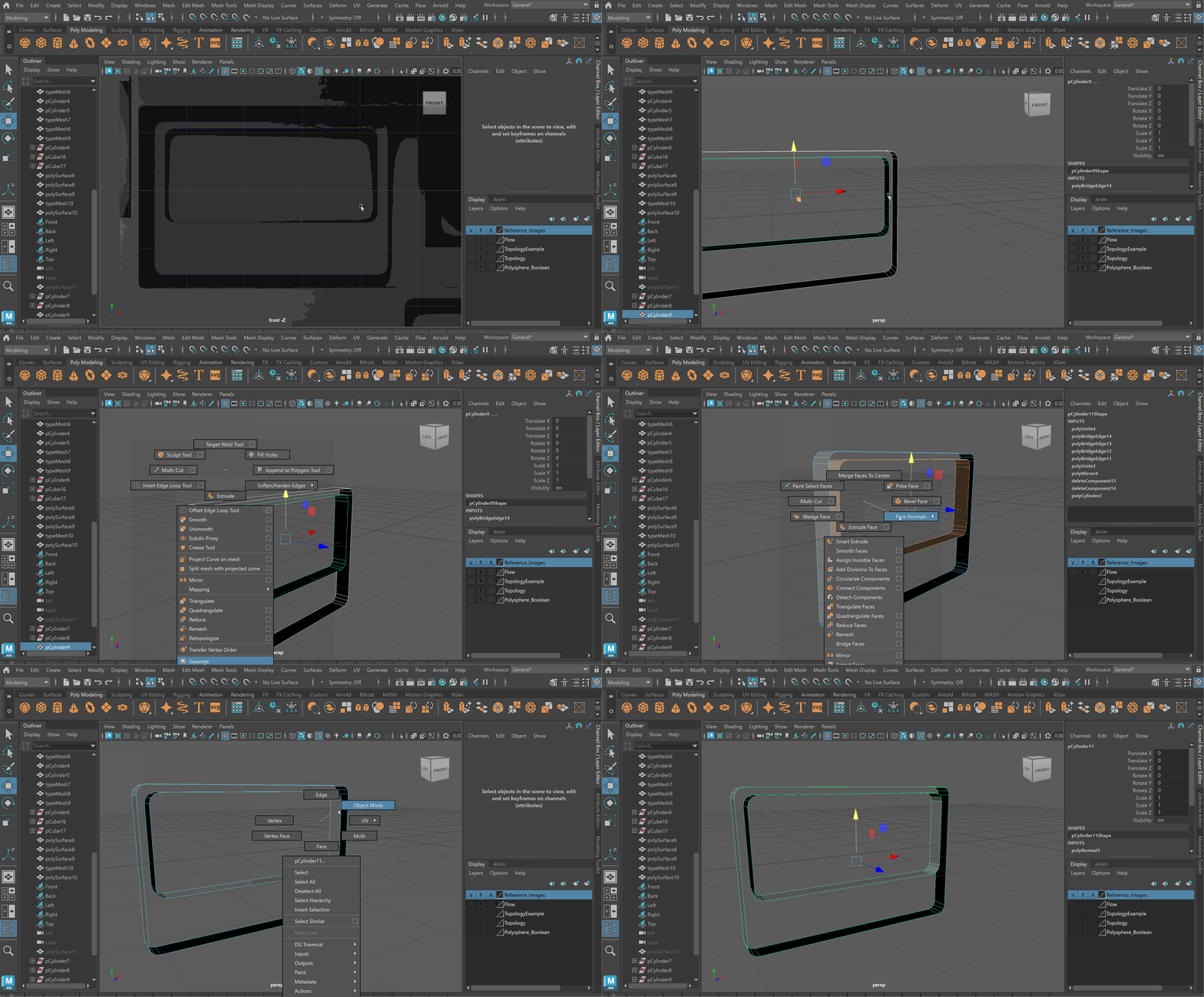
- Bridge shapes together, you may need to do only two edges first