Rocks and Observation:
Description:
For this exercise, you will be practicing your observation skills by sculpting a variety of rocks. Additionally, you will begin preparing for our next project: Memory Chambre.
For this exercise, complete the following (est. time 6 Hours):
- Follow rock tutorial below
- Sculpt two rocks with a 30 minute time limit each
- Sculpt one rock with a 2 hour time limit
- Read the project description for Memory Chambre
- Watch this video on Observation by Flipped Normals (please note that 30:00 - 35:00 contains a discussion of firearms) (as is a continue conversation within this course, many good resources for 3D modeling come from industry professionals who often take a less politically informed approach to content. I encourage you to take the advice in this tutorial with a grain of salt, but to also know that there is still valuable information in their approach.)
- Collect at least 15 reference images for your Familiar
- Watch this video on making your first sculpt by Flipped Normals. (I make the same note here as above, take this tutorial with a grain of salt. I would be remiss not to mention that the depictions in orcs and other "races" within Lord of the Rings have always been tied to notions of racial essentialism. For more information see: Tolkien, Race, and Cultural History: From Fairies to Hobbits by Dimitra Fimi, available at the Honnold/Mudd Library) (With this in mind, we must ask why so many tutorials or portfolios depict monstrous creatures, especially as inherited from Tolkien and his racist ideologies? One possible answer is the influence of the film and game industry. The films, games, and animations being produced often contain and center depictions of the monstrous that have their origins in racist ideologies. In turn, many 3D modeling training programs and prospective employees tailor their curriculum to produce artists who can create these models that are prospective employers are assumed to be looking for. Here, as in other areas of the course, the use and education of 3D Software is not neutral and separate from politics, but enmeshed in important social, economic and cultural issues).
Sculpting Rock Process:
Gather References
When collecting reference images, it is often best to look beyond Google Images to find more interesting and detailed images. Sketchfab is a great resource for looking for reference as many 3D artists will upload 3D scans of objects that they gather in the world. These references not only make for great images as screenshots, but are also great references for form and structure. Other great resources include photo catalogs in the library, as well as online photo sites such as Flickr. You can even take your own photos for resources! Rocks are particular, examine where the rock you are observing is found. This collection by the artist Kanistra is a great place to start.
When collecting references, you should focus on the particulars. Pick one type of rock, examine how that rock forms under various conditions. What are the primary, secondary and tertiary shapes it takes. A sedimentary rock breaks down much differently than an igneous rock.
Primary, Secondary, forms of a rock:
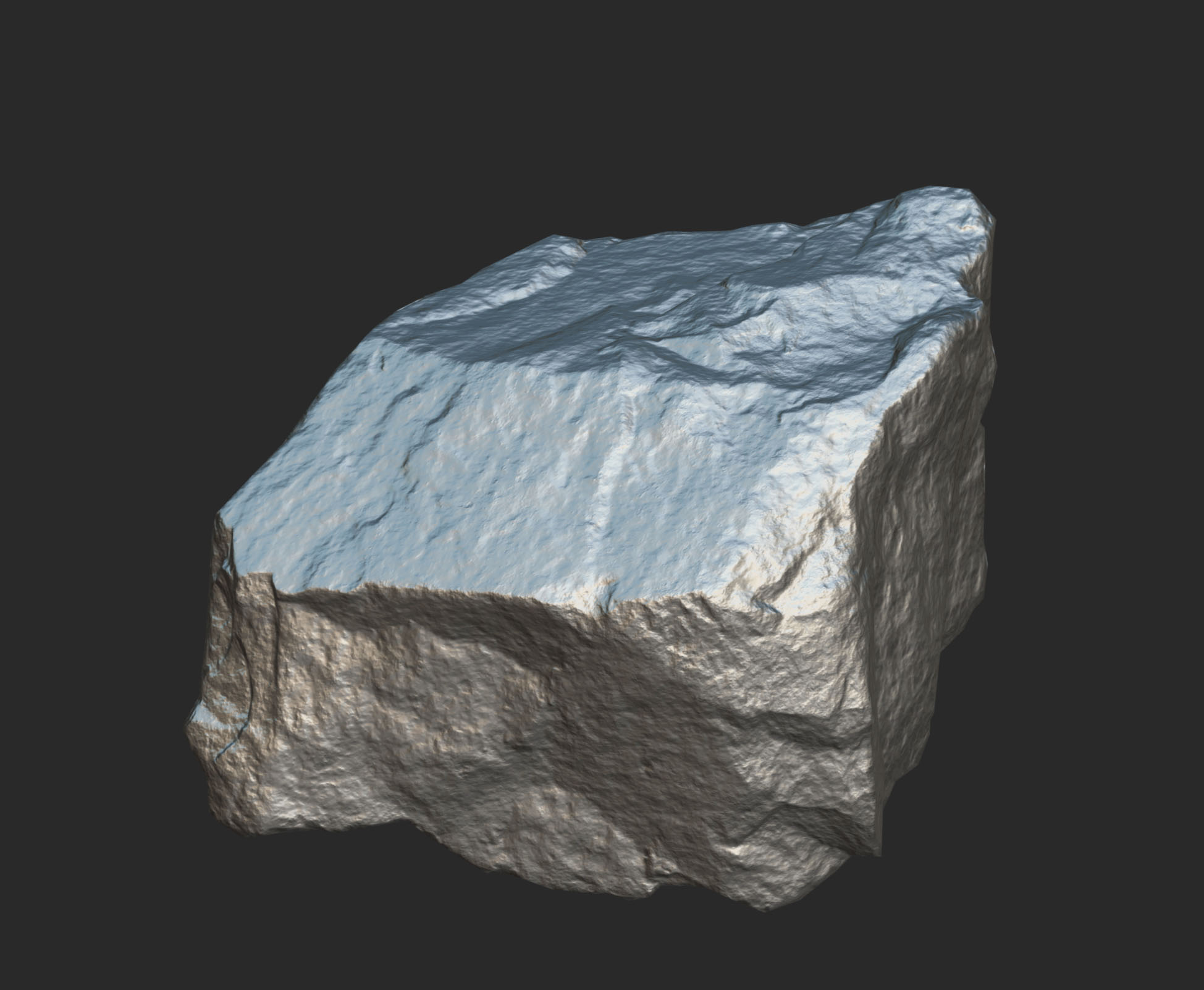
Rock from Kanistra's Sketchfab page
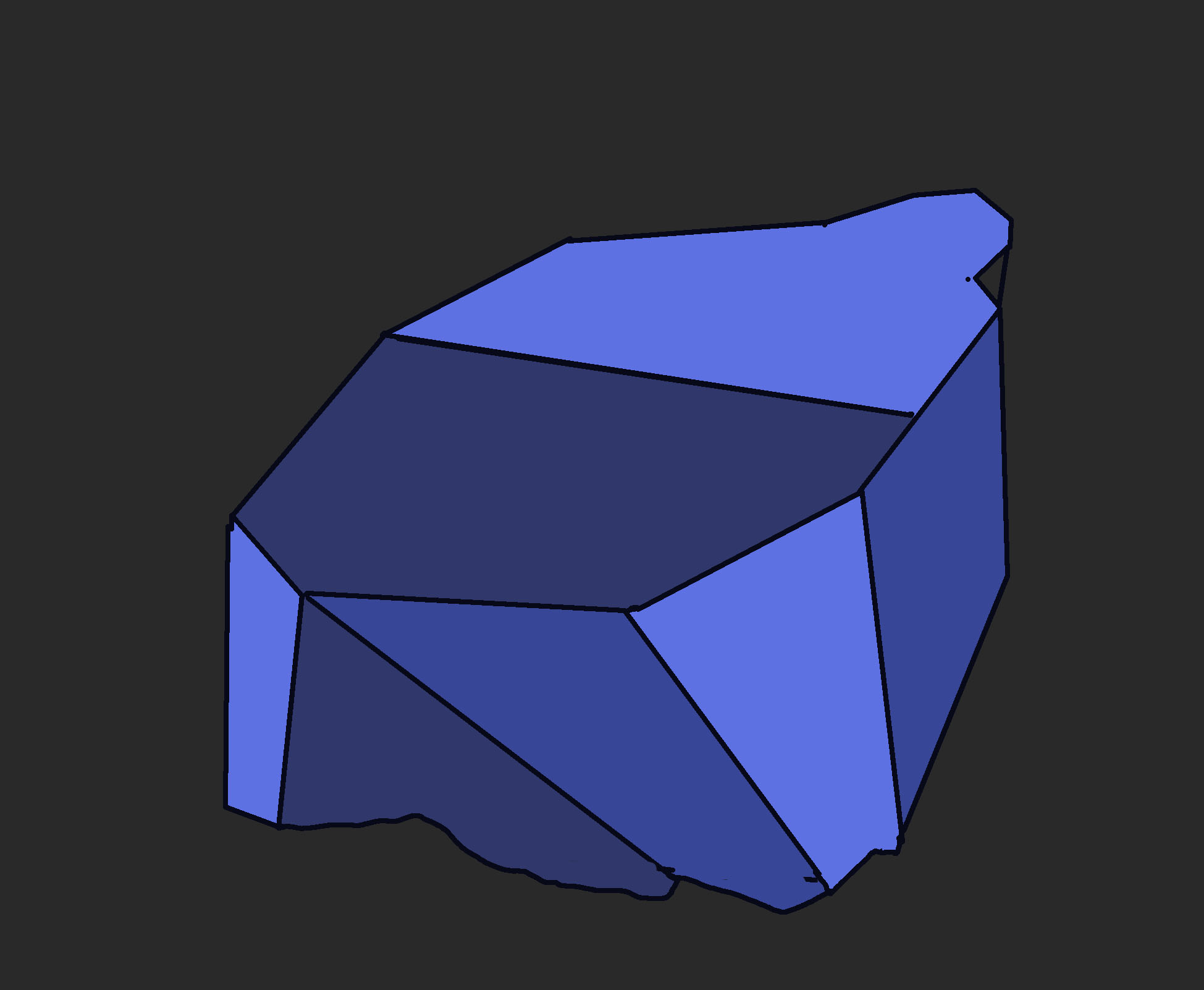
Primary forms of rock
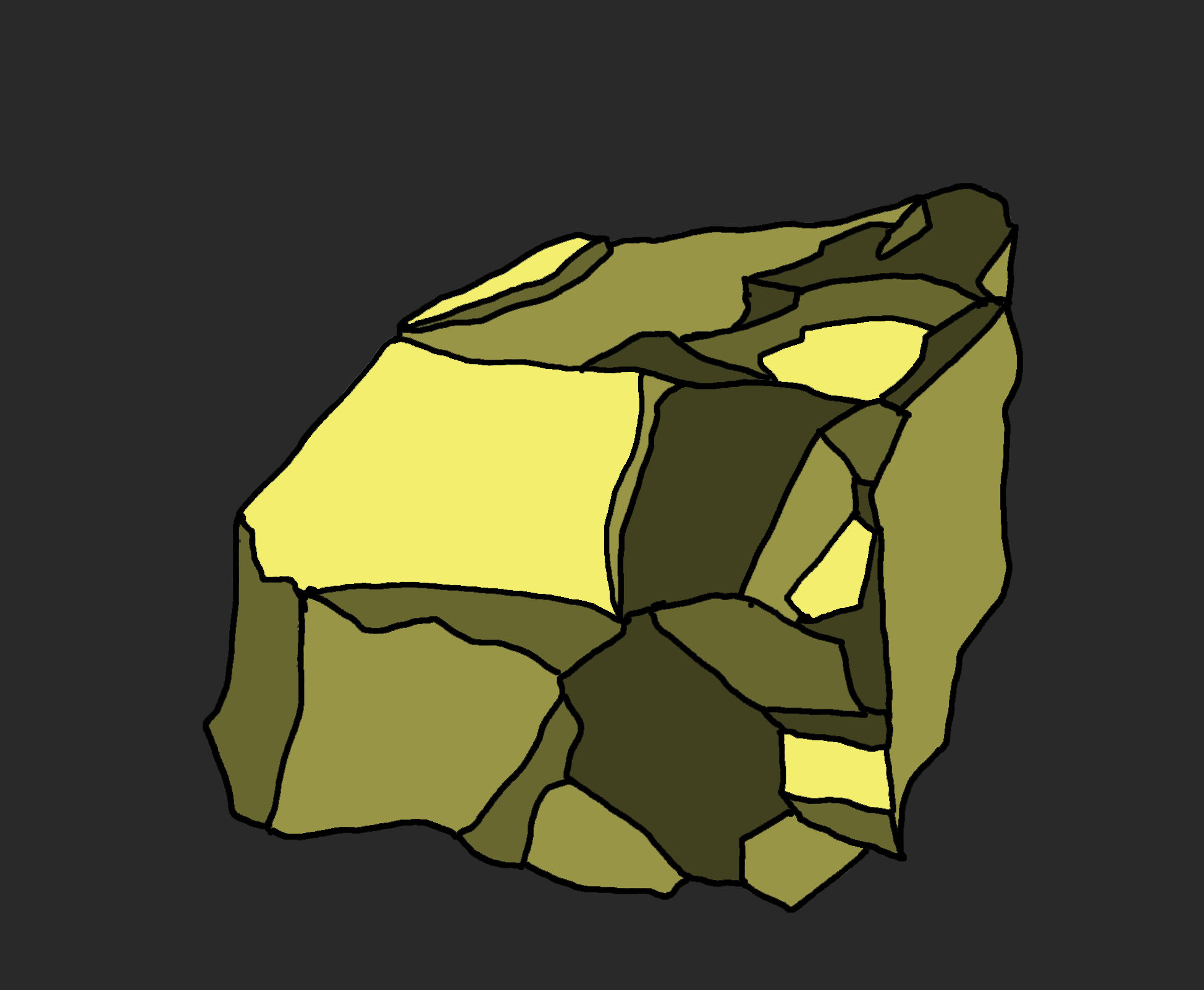
Secondary forms of rock
Compile your references in whatever software you like. I highly recommend using PureRef as it is free and also can stay on top of your ZBrush interface as you sculpt. The pen tool and note tool are also helpful in PureRef for recording notes of marking form.
Here is an example of a part of reference board that I used when sculpting a character for one of my games:
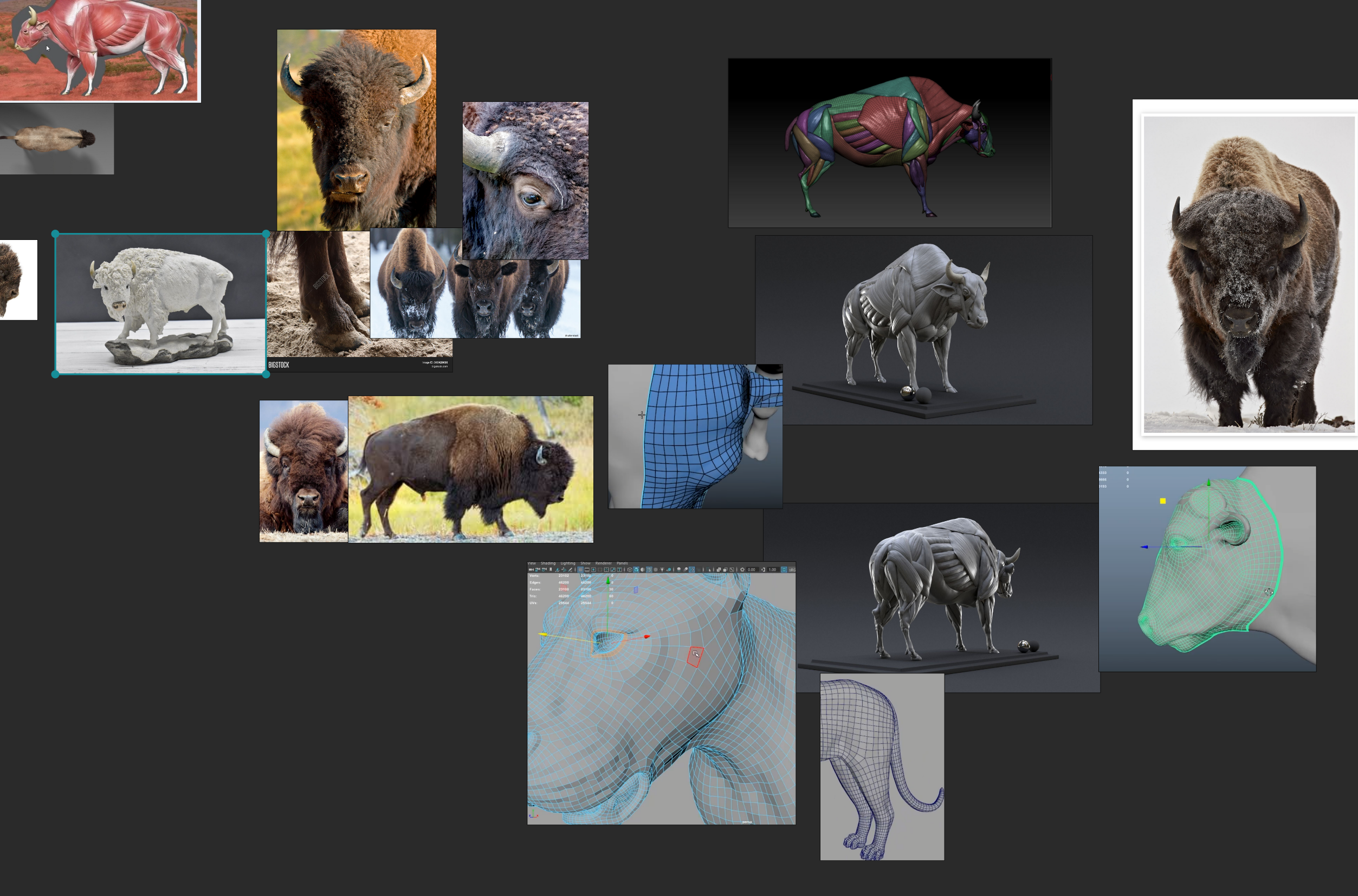
Here is the reference that I will be using to sculpt my rock:
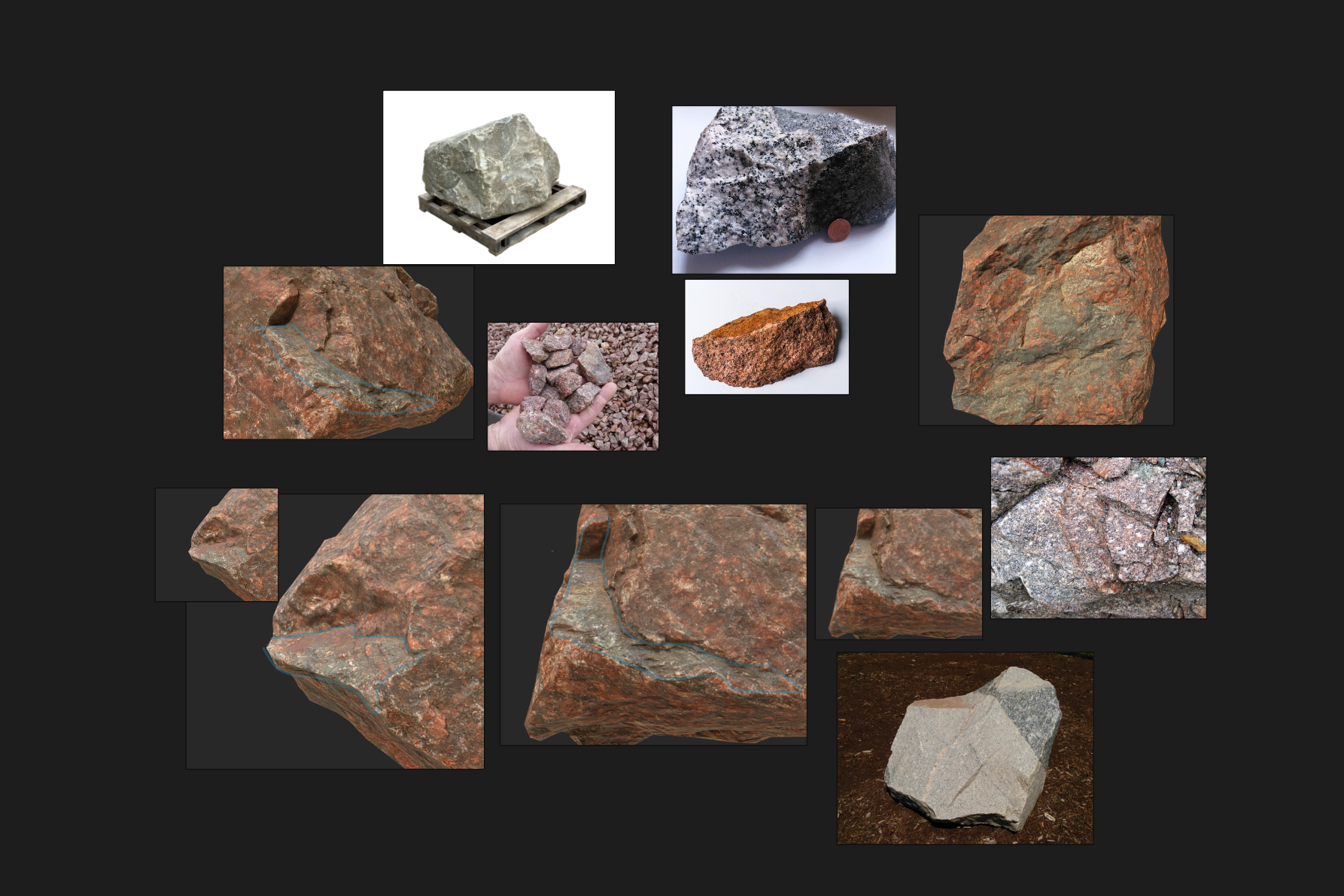
Primary Forms:
- In Zbrush, open up a DynaSphere_128 Project
- Since most rocks are asymmetrical, turn off symmetry by pressing the X key.
- You can begin sculpting primary forms by using a trim tool
- Hold Ctrl+Shift and choose ClipCurve in your Brush Palette
- While holding Ctrl+Shift, drag over your model to cut away large areas. The area below the grey side of your clip will be removed
- Make sure to DynaMesh often

Secondary Forms
Using a mix of the Trim Dynamic brush, Move Brush, and ClipCurve, add in some secondary forms, observing the shape these forms take in your reference images.
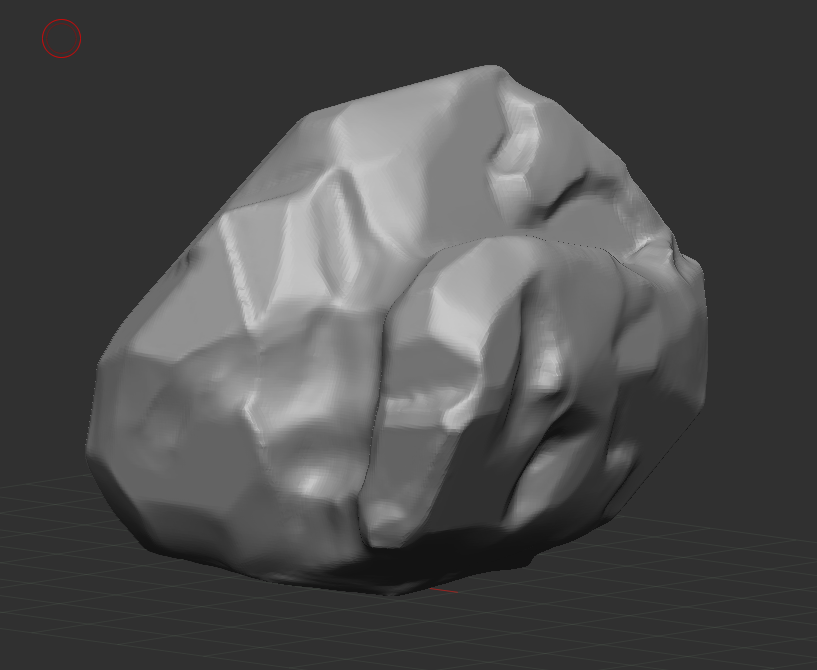
Video of Primary and Secondary forms:
Tertiary Forms and Details
Using a mix of Trim Dynamic, Clay Buildup, Move, and Masking begin to add in larger tertiary forms and smaller details. Resist the urge to subdivide, and add in all the details you can with the 128 Dynamesh Resolution. Look at the divots and edges of your rock references. Puzzle over what physical forces made those divots. Tertiary forms and detail add story - what events led for your rock to look this way? Did a child take a hammer and smash the rock in half? Has this rock been kicked around a city for decades? Look at your references closely and use your imagination to conjure a story with your rock through sculpting.
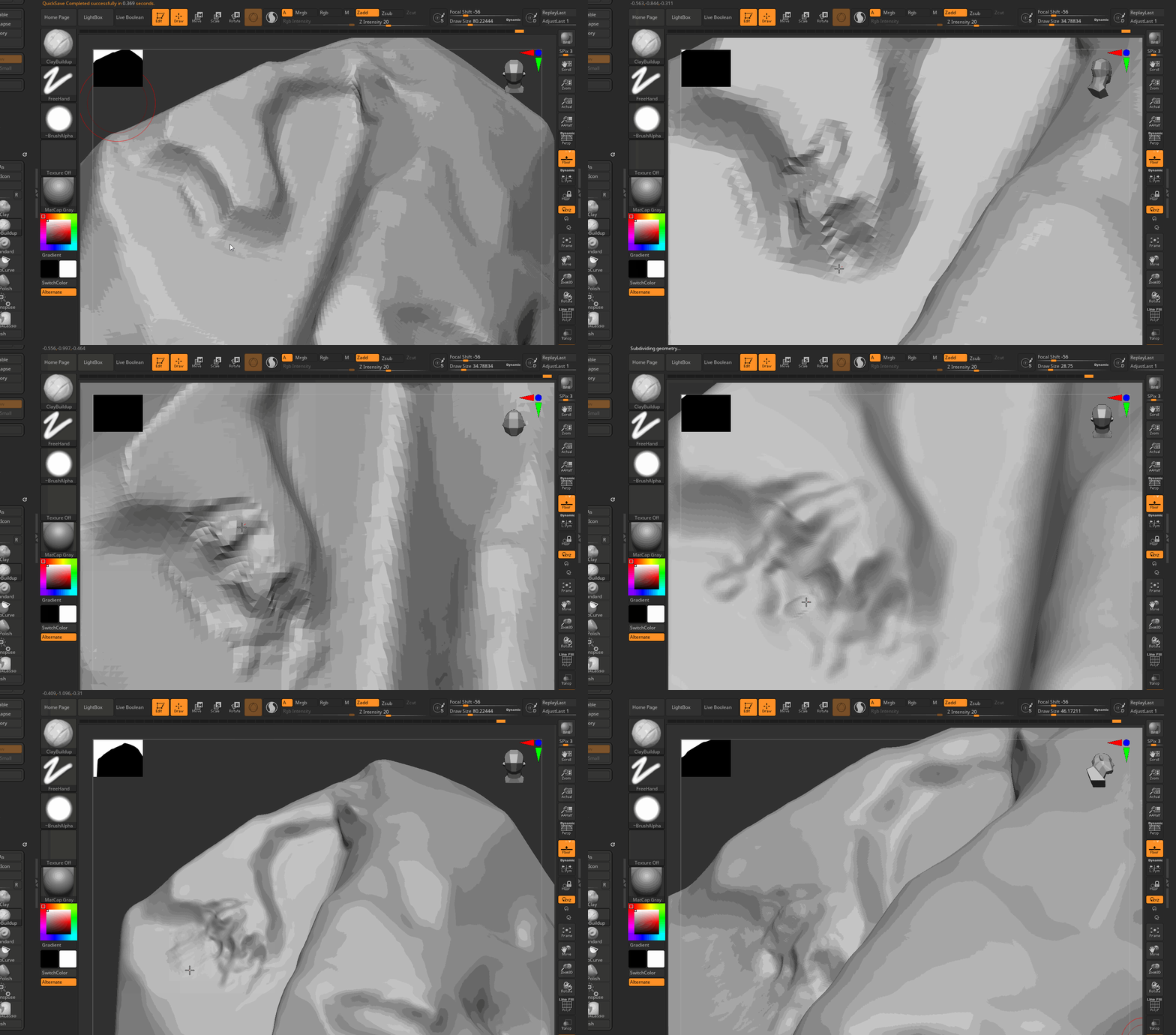
Submit
To Discord:
- A screen shot of your three rocks.