Memory Chambre
Summary
For this project, as a way to introduce the potential of meaning making through camera animation, you will be creating a short 3 to 5 minute animation using camera movement to describe a place. The title of this project is a portmanteau of the mnemonic technique, Memory Place and the title of Chantel Akerman’s short film, La Chambre
Memory Palace
A memory palace is a mnemonic device that can be used to recall a variety of information. Using the device, you transform what you want to remember into a physical object within a familiar environment. For example, if I wanted to remember, as your professor, to teach about creating glass materials, I might create the mental image of a giant glass horse in the center of my living room. If I also wanted to teach studio lighting, I might create the mental image of a variety of small frogs in my kitchen setting up studio lights. The more surreal or strange the image is, the easier it is to recall!
When teaching, then, I can go back to my memory palace mentally, see the horse and the frogs, and remember I have to teach about glass and lighting. For this project we look to the idea of the memory palace to begin thinking about the place our animation will depict. Our place will exist as a memory palace.
La Chambre
Watch La Chambre
La Chambre is a 1971 short film by the french filmmaker Chantel Akerman. The film consists only of a rotating camera as it traces the filmmaker’s room and the filmmaker herself. As part of the 1960s structural cinema movement, the focus of the film is not on narrative, but on using film making as a descriptive device. We look at Akerman's La Chambre for this project to think about other possibilities of film making besides narrative or action as we look to make our own structuralist animations.
Other structural films and experimental animations to watch:
Micheal Snow, Wavelength (1967) - a film consisting only of closer and closer views of a room
Micheal Snow, La Region Centrale (1971) - a film consisting of camera pans across a landscape.
Pascal Floerks, BÄR (2016) - an animated film created by editing a computer graphics bear into historical photographs. Behind the scenes
Project Description
For this project you will use your skills in sculpting, modeling, 3D scanning, texturing, rendering, simulation, and camera animation to produce a 3 to 5 minute short film that describes a place. To create this place, you should draw from a memory, either personal, invented, or communal. Your place should be filled with objects associated with this memory and exist as almost a memory palace to memorialize, complicate or articulate your chosen memory. This assignment can be approached literally, or more abstractly. Perhaps you want to recreate a place of memory down to every exact detail and use 3D scanning to reproduce exact objects. Or, perhaps, you want to distort the memory of your work in which objects are larger than life, creating a work that plays with scale. Both approaches are some of the many ways to approach this project, and both are equally valid. To describe your memory palace, you will borrow techniques from structural filmmakers as seen in Chantel Akerman’s La Chambre. Pan around your space, zoom in on particular objects, or use the advantage of 3D to create physically impossible camera moves. The animation does not need to be a continuous shot, and can instead consist of many different camera moves or still shots joined together. We will slowly make progress on this project over the course of many weeks.
The project will begin by modeling a familiar. A familiar, typically associated now with the role-playing game Dungeons and Dragons, is a small creature who is said to aid and protect witches and other magic casters. Familiars are special creatures, close to our heart, who protect us. With this in mind, using ZBrush, the first part of this project will be sculpting a familiar who will watch over our memory palace and protect it from outside forces. This familiar will be part of your final animation. Perhaps that will be tucked in the corner, or perhaps that will be a prominent part of your scene.
In the next part of the project, we will be learning about 3D Scanning. 3D scanning is a technique for capturing real-world objects and turning them into 3D models. You will be able to use the 3D scanner to capture objects and bring them into your memory palace.
Finally, we will learn about camera animation and editing animations in Adobe Photoshop to produce our final short film. We will have a few weeks of work time to model all of the objects in your scene.
Your final animation should include:
- At least one 3D scanned object.
- At least one sculpted object besides your familiar.
- At least one 3D modeled object using poly model techniques.
- At least 3 additional hand-made objects, not including your familiar.
- A full environment, whether interior or exterior.
- At least one type of camera move (pan, zoom, tilt, dolly, etc.)
- All models will be textures and thoughtfully lit.
A Note on Rendering
To produce a 3 minute animation with a frame rate of 24 frames per second, you will need to render 4320 images. If each render takes 20 seconds, it will take a total of 24 hours to render the final animation. This is a long time. With this in mind, you will need to plan your render time accordingly. It is often best to leave computers overnight to render. Set up your render, test that the first few frames are working, and then leave the computer to handle the rendering overnight. It is important to know that glitches and mistakes happen. DO NOT LEAVE YOUR RENDERING TO THE LAST DAY! Too much time for rendering will not be accepted as a valid excuse for why your project is not complete on the day of our critique.
Project Pieces
Familiar Reference Images (2 points)
Est. Time 2 hrs.
Collect at least 15 images that you will use as reference to sculpt your familiar. For more general information about familiars, check out this page. A familiar is a small creature or a friend. The purpose of sculpting a familiar for this assignment is to create a guardian for your memory chambre. This familiar should take the form of an animal. This animal may be complex or hybrid, a combination of many animal features.
Collect your reference images in pureRef and submit a screen shot of your reference board to Discord.
Memory Chambre Project Proposal (3 points)
Est. Time 2 hrs.
After reading the full project description and watching Chantel Akerman's La Chambre, write a project proposal for Memory Chambre.
Your Memory Chambre project proposal should include a one page write up describing your project, a description of how your project will meet the above 7 requirements, a tentative timeline of how you will complete this project from 10/31 to 12/2, at least two sketches of the space, as well as a sketch story board of your planned camera animations.
Submit all of the above to the class Discord.
Familiar ZBrush Progress (3 points)
Est. Time 6-10 hrs
Submit three in-progress screenshots of your familiar ZBrush model to the class Discord. Your model should be completely blocked in and have primary, secondary, and tertiary details. By this submission date, no major changes should be made to your model. Have your model ready in class by the due date to prepare for retopology.
Video example of level of detail required for the ZBrush Progress Model:
Final Familiar ZBrush Model (3 points)
Est. Time 4-6 hrs.
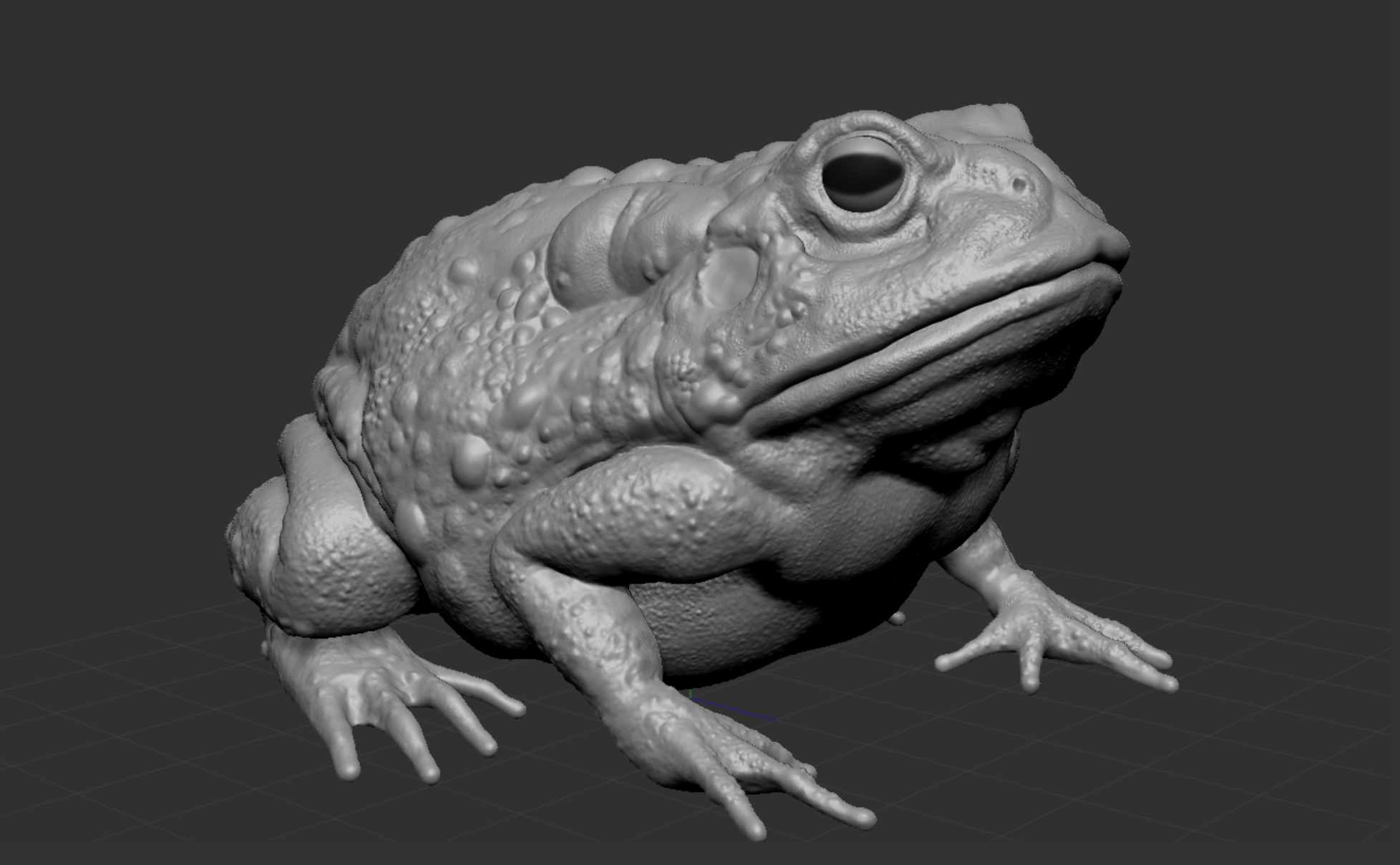
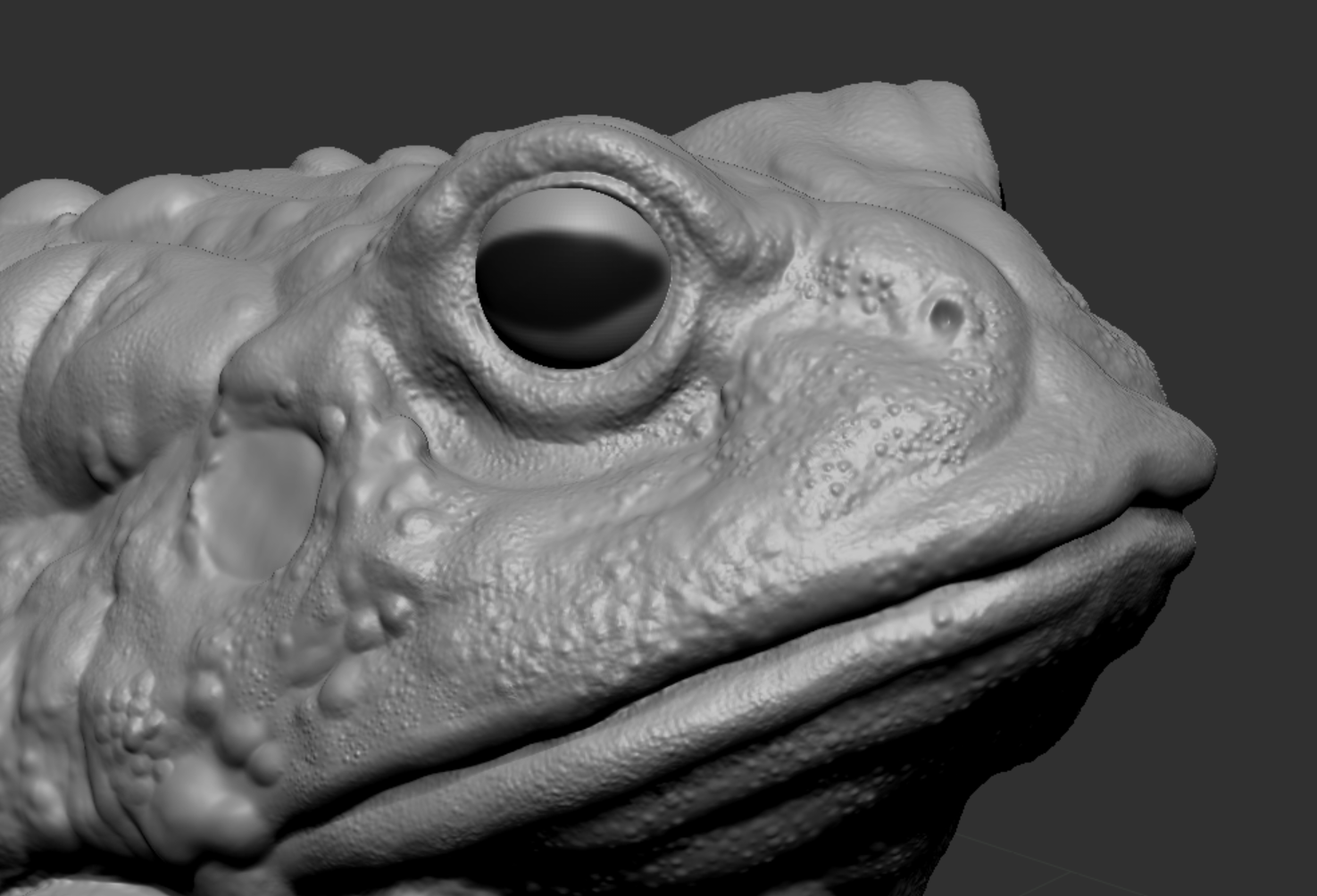
Your final familiar ZBrush model should be retopologized and have finalized tertiary and surface details.
Submit three screenshots of your finalized ZBrush model to Discord.
Final Familar ZBrush Model Example Images:
Familiar Textured Model (3 points)
Est. Time 3-5 hrs.
Using Maya, submit a render of your textured familiar model to Discord. The finalized familiar model will have a texture created in substance painter as well as will be rendered with displacement maps.
3D Scanned Object (3 Points)
Submit a rendered image of a textured and lit 3D modeled object to Discord. Your 3D scanned object should be retopologized and make use of displacement maps.
Block out of Place (3 Points)
Submit three screen screenshots of the block of your place to Discord.
For more information on blockouts - The Level Design Book
Final Project (80 Points)
Submit to Discord:
- A link to your final animation
- A selection of 5 rendered Stills
- The name of your project
- A short paragraph Description of your project.